---
title: "Agent Plugin Support"
slug: agent-plugins-standard
description: "Resend now supports the Agent Plugins Standard."
created_at: "2026-08-13"
updated_at: "2026-08-13"
image: https://cdn.resend.com/posts/agent-plugins-standard.jpg
humans: ["gabriel-miranda", "felipe-freitag", "diel-duarte"]
---
Today, [Resend Skills](https://github.com/resend/resend-skills) announces support for the [Agent Plugins Standard](https://agent-plugins.org), an open, vendor-neutral standard for packaging skills and MCP servers into a portable plugin.
## What is the Agent Plugins Standard?
Two tools have become critical in agentic development:
- **MCP:** agent tools for accomplishing tasks
- **Skills:** domain-specific, opinionated expertise
Many AI coding tools package these together in a plugin format. For instance, we launched our [Claude Connector](/changelog/claude-connector) and [Codex Plugin](/changelog/codex-plugin). These plugins package together the MCP and agent skills in one simple install, and yet each one expects a **different vendor-specific manifest, folder structure, and setup process.**
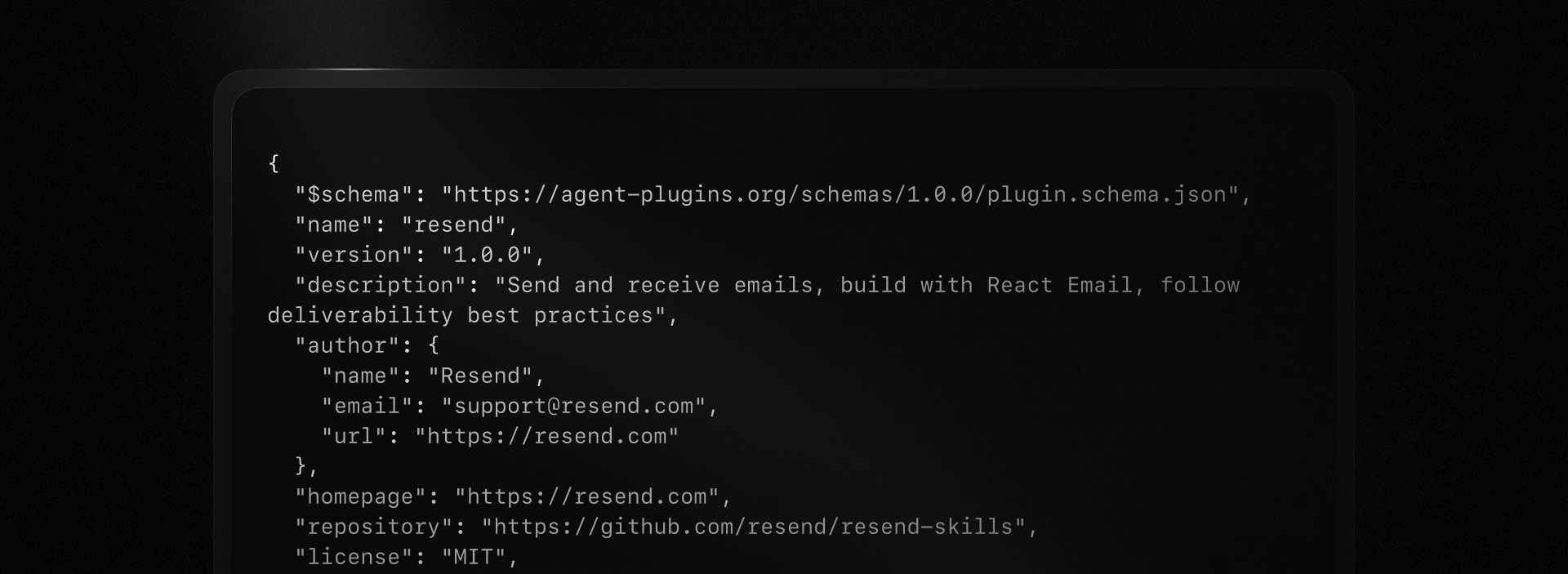
[Agent Plugins](https://agent-plugins.org/) is a vendor-neutral plugin format that provides a simple, portable way to **package MCP and agent skills for use with any AI coding tool**, without a vendor-specific manifest required.
 ## How to use it
Nothing changes for existing installs like [Claude](/changelog/claude-connector), [Codex](/changelog/codex-plugin), and [Cursor](https://cursor.com/marketplace/resend).
Any other client that supports the Agent Plugins format can install both Resend Skills and the MCP server using the `plugin.json` config. Follow your AI client's instructions to install the plugin.
For example, in VS Code:
1. Open the Command Palette (`Ctrl+Shift+P` or `Cmd+Shift+P`)
2. Type `Chat: Install Plugin from Source`.
3. Paste `https://github.com/resend/resend-skills` in the input field.
After install, the plugin will be available in your AI client with full support for all the Resend skills. When you first use the MCP server, you will be prompted to authenticate.
At launch, Agent Plugins are supported in [ChatGPT](https://chatgpt.com), [Codex](https://openai.com/codex/), [Cursor](https://cursor.com), [GitHub Copilot](https://github.com/features/copilot), [Kiro](https://kiro.dev), [VS Code](https://code.visualstudio.com), [Hermes](https://github.com/nousresearch/hermes-agent), and [OpenClaw](https://github.com/openclaw/openclaw).
## How does it work
Every compatible client checks for `plugin.json` in the root of the plugin directory. The standard also allows a `skills/` directory and/or `mcp.json` configuration file.
```bash
my-plugin/
├── plugin.json
├── skills/
│ └── summarize/
│ ├── SKILL.md
│ ├── scripts/
│ └── references/
└── mcp.json
```
- `plugin.json`: defines the name, version, and details of the plugin
- `skills/`: contains the plugin's skills, each following the Agent Skills spec
- `mcp.json`: defines the plugin's MCP configuration
The standard was developed in a collaborative effort by Amazon, Cursor, GitHub, Microsoft, OpenAI, and Vercel and is already supported by many AI clients.
## Conclusion
We'll keep the vendor manifests and the Agent Plugins files in sync as the standard evolves. If you have any questions, please reach out to us and we'll be happy to help.
## How to use it
Nothing changes for existing installs like [Claude](/changelog/claude-connector), [Codex](/changelog/codex-plugin), and [Cursor](https://cursor.com/marketplace/resend).
Any other client that supports the Agent Plugins format can install both Resend Skills and the MCP server using the `plugin.json` config. Follow your AI client's instructions to install the plugin.
For example, in VS Code:
1. Open the Command Palette (`Ctrl+Shift+P` or `Cmd+Shift+P`)
2. Type `Chat: Install Plugin from Source`.
3. Paste `https://github.com/resend/resend-skills` in the input field.
After install, the plugin will be available in your AI client with full support for all the Resend skills. When you first use the MCP server, you will be prompted to authenticate.
At launch, Agent Plugins are supported in [ChatGPT](https://chatgpt.com), [Codex](https://openai.com/codex/), [Cursor](https://cursor.com), [GitHub Copilot](https://github.com/features/copilot), [Kiro](https://kiro.dev), [VS Code](https://code.visualstudio.com), [Hermes](https://github.com/nousresearch/hermes-agent), and [OpenClaw](https://github.com/openclaw/openclaw).
## How does it work
Every compatible client checks for `plugin.json` in the root of the plugin directory. The standard also allows a `skills/` directory and/or `mcp.json` configuration file.
```bash
my-plugin/
├── plugin.json
├── skills/
│ └── summarize/
│ ├── SKILL.md
│ ├── scripts/
│ └── references/
└── mcp.json
```
- `plugin.json`: defines the name, version, and details of the plugin
- `skills/`: contains the plugin's skills, each following the Agent Skills spec
- `mcp.json`: defines the plugin's MCP configuration
The standard was developed in a collaborative effort by Amazon, Cursor, GitHub, Microsoft, OpenAI, and Vercel and is already supported by many AI clients.
## Conclusion
We'll keep the vendor manifests and the Agent Plugins files in sync as the standard evolves. If you have any questions, please reach out to us and we'll be happy to help.